AI Tools Every Streamer Should Be Using in 2025
Live streaming in 2025 isn’t just about hitting “Go Live” anymore. Whether you’re on Twitch, YouTube, or Kick, competition is fierce, content is endless, and attention spans are shorter than a TikTok loop. If you’re not leveraging automation, enhancement, or assistance from AI, you’re falling behind.
The good news? There are now dozens of AI-powered tools built specifically for creators—and they’re not just hype. These tools save time, boost engagement, and make solo creators feel like they’ve got a full production team behind them.
Let’s break down the must-have AI tools for streamers in 2025—and why each one deserves a slot in your creator toolkit.
1. AI Clip Editors – Highlight Magic Without the Hassle
Long gone are the days of scrubbing through 4-hour VODs to find the perfect clip.
Tools like Eklipse, Opus Clip, and Crossclip use AI to:
Detect key moments from your livestreams
Automatically edit clips into vertical formats
Add subtitles, music, and even zoom cuts
Export straight to TikTok, Instagram Reels, and YouTube Shorts
Most also integrate with Twitch and YouTube directly, letting you upload your VOD and get short-form content in minutes.
Why it matters: Short-form content fuels discoverability – and AI makes it brain-dead easy.
🧠 2. Chat Moderation AI – Smarter Than Your Mods
Dealing with trolls used to require an army of moderators. Now? AI handles it faster and smarter.
AI chat tools like AutoMod 2.0, Nightbot AI, and Modulate VoiceGuard are evolving rapidly:
They understand sarcasm, tone, and context
Auto-ban or mute toxic messages
Learn from your moderation history
Can alert you in real-time when something needs human input
Some streamers even use AI mod personas that explain bans or redirect toxic users in a friendly (or savage) tone.
✅ Why it matters: Stream safely, engage freely, and let the AI deal with the weirdos.
🪄 3. AI Co-Hosts & VTuber Assistants
Yes, AI can now co-host your stream.
Enter ChatGPT-based AI personas and VTuber sidekicks. You can train AI chatbots to:
Greet new viewers
Answer FAQs
React to donations
Tell jokes or recap what happened earlier in the stream
Even banter with you in real time
Platforms like Animai, Inworld, and VTube Studio + ChatGPT plugins let you design full-on personalities with voices, animations, and behaviours.
✅ Why it matters: Keeps the stream entertaining and interactive, even when you’re focused on gameplay.
📝 4. AI Content Assistants – Titles, Tags, and Descriptions Done
You don’t need to be a copywriter to stand out anymore.
AI writing tools like:
ChatGPT (of course)
Copy.ai
Notion AI
TubeBuddy’s AI integration
…can help you write:
Eye-catching stream titles
SEO-optimised YouTube descriptions
Hashtags and metadata
Even scripts for sponsored segments or channel trailers
Some tools will even analyse your past VODs and suggest future content ideas based on what performed best.
✅ Why it matters: You’ll sound like a pro without having to think like one.
🔊 5. AI Voice & Audio Enhancers
Sound matters more than you think—and now AI has your back.
Tools like:
Krisp AI – noise suppression for mics
Adobe Podcast Enhance – makes any mic sound like a studio one
NVIDIA Broadcast – AI background removal and voice focus
Lalal.ai – separates voice, music, and effects from your VODs
Even if your mic is average, these tools can level up your audio quality without needing a full audio rig.
✅ Why it matters: Clear sound = professional stream. People forgive average video, but they won’t tolerate bad audio.
🧪 6. AI-Powered Overlays & Stream Layouts
Platforms like Visuals by Impulse, Nerd or Die, and OWN3D are now offering AI-customisable overlays.
You enter your theme, colours, and game preference, and the AI builds:
Starting soon screens
Intermission layouts
Custom alerts
Full branding packages
Some even animate your stream elements automatically based on game genre or stream mood.
✅ Why it matters: You can stand out without being a designer—or spending a fortune.
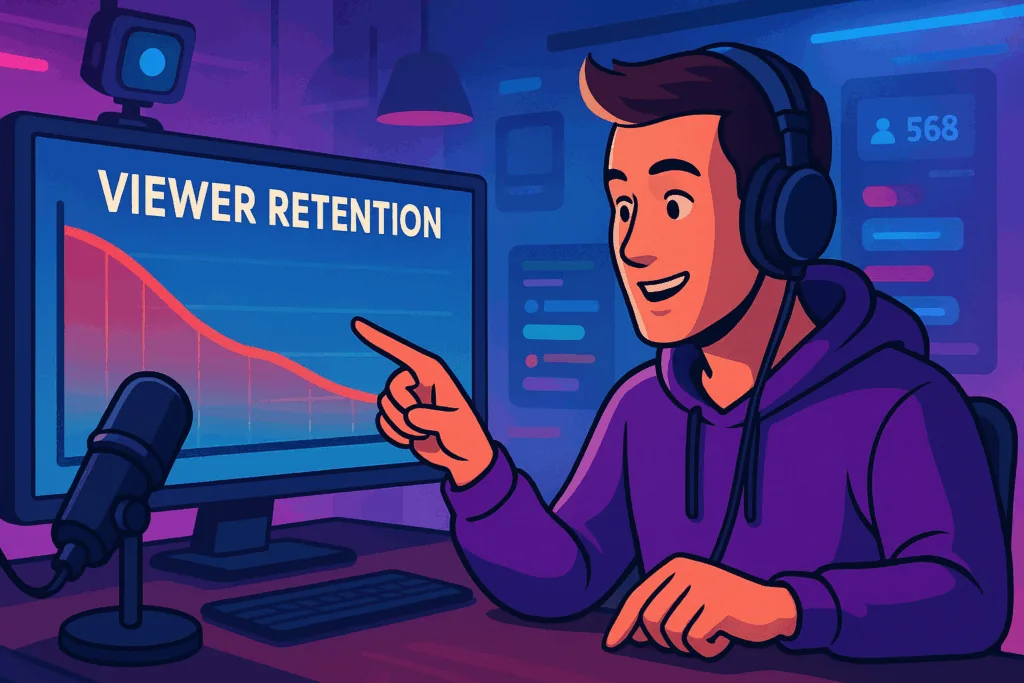
📊 7. AI Analytics for Growth
This one’s for the number nerds (and the growth hackers).
Tools like StreamBee, Senpai.gg, and Glytch use AI to:
Track stream retention and viewer spikes
Show when people leave and why
Analyse chat behaviour
Suggest optimal stream times and categories
Compare your stats against similar creators
Some even give you weekly “creator reports” with personalised advice.
✅ Why it matters: No more guessing what works—you’ll know what keeps people watching.
🧬 8. AI Stream Automation (For the Lazy Genius)
Need more efficiency? AI bots like Streamer.bot and Aitum now do:
Scene switching based on actions or voice triggers
Auto-shoutouts when a streamer joins chat
Dynamic lighting changes based on alerts
Facial expression detection for zoom-ins or cam reactions
Basically, it’s your own stream producer, minus the salary.
✅ Why it matters: It makes your stream feel alive and reactive, even when you’re solo.
🦾 BONUS: AI Tools to Avoid (For Now)
Not every AI tool is ready for prime time. Here are a few to be cautious about:
❌ AI-generated game commentary – Feels robotic and kills authenticity
❌ Auto-generated full stream VODs with AI avatars – Still uncanny valley
❌ Fake engagement bots – You will get banned
Use AI to enhance, not fake it. Viewers can spot the difference instantly.
AI Isn’t Cheating—It’s Evolving
Using AI doesn’t make you a lazy creator. It makes you a smart one.
In 2025, streaming is no longer just about being entertaining – it’s about being efficient, engaging, and scalable. AI helps you edit faster, sound better, engage deeper, and grow smarter.
But here’s the catch: the tech won’t carry you. It’s still your personality, passion, and presence that make your stream great. AI just gives you the tools to make that greatness shine louder, cleaner, and faster.
So if you’ve been sleeping on these tools, now’s the time to upgrade.
Your future self – and your viewers – will thank you.